Compatibility:macOS 10.13 or later, 64-bit processor
Version1.0.8
Updated
CategoryGraphics & Design
LicenseFree
About Pixelmator Pro
Pixelmator Pro is an incredibly powerful, beautiful, and easy to use image editor designed exclusively for Mac.
With a wide range of professional-grade, nondestructive image editing tools, Pixelmator Pro lets you bring out the best in your photos, create gorgeous compositions and designs, draw, paint, apply stunning effects, design beautiful text, and edit images in just about any way you can imagine. And thanks to its intuitive and accessible design, Pixelmator Pro is delightfully easy to use - whether you’re just starting out with image editing or you’re a seasoned pro.
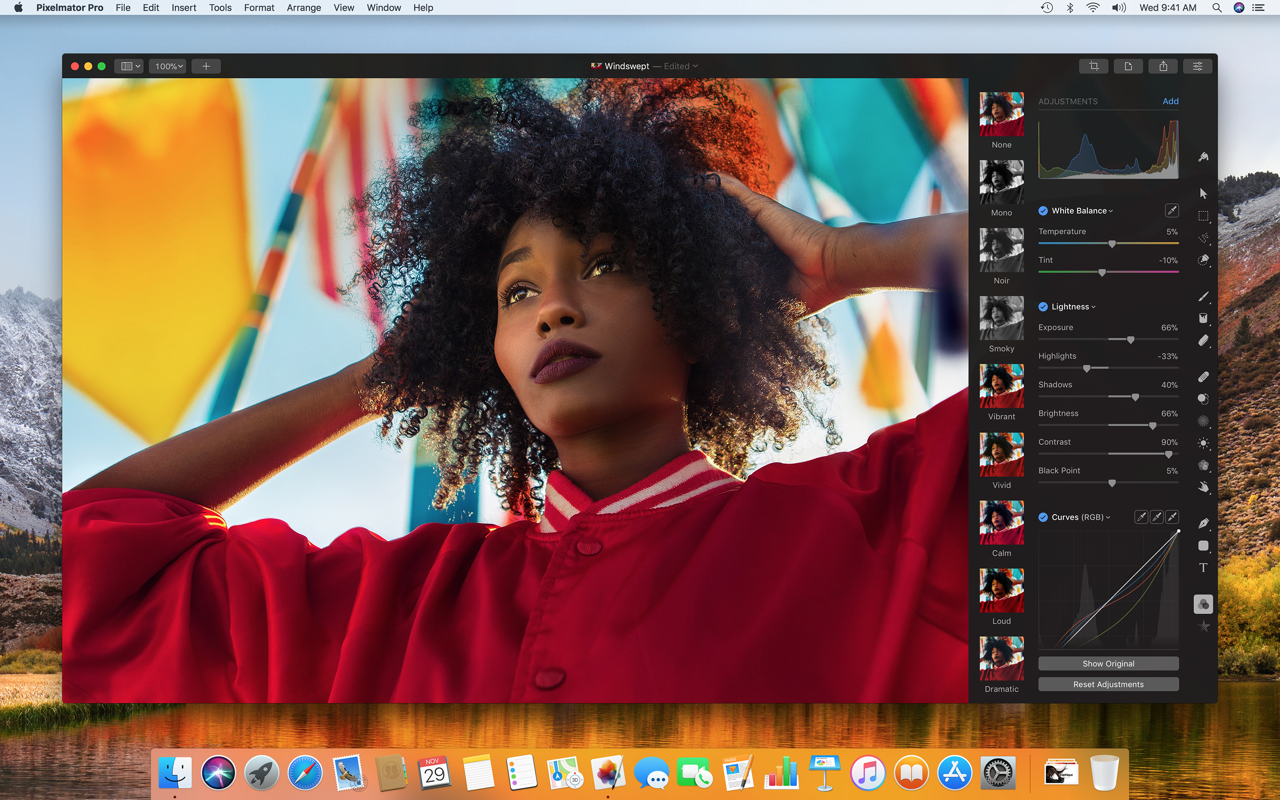
The modern, single-window interface is designed exclusively for working with images on a Mac. An intuitive and accessible design makes it easy for anyone to edit images - from complete beginners to design professionals.
Screenshots
Pixelmator Pro
What’s new
Version 1.0.8
•A number of under-the-hood fixes that improve performance and stability
•The inner workings of the selection tools have been redesigned, solving lots of issues that would make Pixelmator Pro stop responding.
•The Color Adjustments have been improved to work faster.
•You can now import color adjustment, effect, layer style, and text presets by dragging-and-dropping them onto the Pixelmator Pro icon in the Dock.
•EXIF data would be lost after saving to the Pixelmator Pro file format, then closing and reopening the image. Fixed.
•The White Balance color picker can now easily balance colors in extremely over- and under-exposed images.
•Image sizes in inches were displayed incorrectly in the Image Size dialog. Fixed.
•Reopening a Pixelmator Pro document would reset its PPI to 150. PPI will now be saved correctly with your Pixelmator Pro documents.
✓ Link copied to clipboard!
Reviews
0
No reviews yet for Pixelmator Pro. Be the first to share your installation or compatibility experience!
Leave a Review
Compatibility and installation notes.
U
Only registered members can post reviews and installation notes.
Sign In
Sign out of Appked?
You can sign back in anytime to access your saved apps and reviews.